


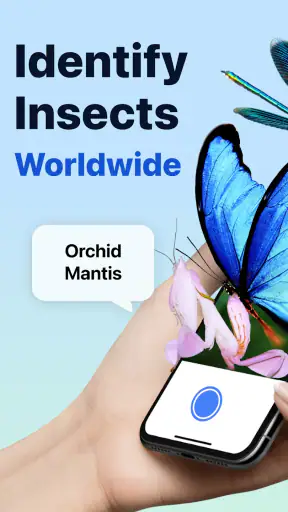
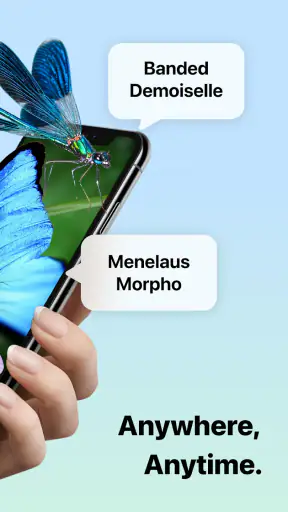
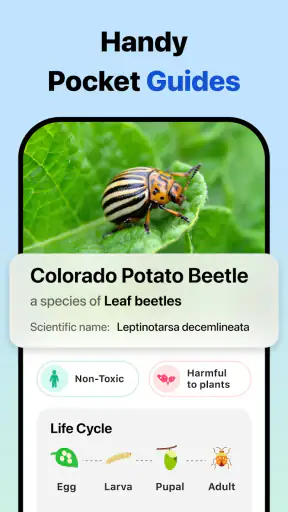
I like tools that solve a small problem at exactly the moment it appears. Picture Insect: Bug Identifier is built around one clear capability: you take a photo of an insect, spider, pest, butterfly, or another small creature, and the app tries to identify it. That sounds simple, but it can be surprisingly useful when a bug appears in the kitchen, on a houseplant, or during a walk and I want a sensible starting point without searching through dozens of web pages.
My experience with this Education app is best summed up as “quick visual guidance, not a laboratory verdict.” It is made by Next Vision Limited, available for free, and suitable for Everyone. The app has reached over 5 million installs, with a 4.3 average from around 40 thousand ratings and roughly 3.2 thousand written reviews. Those figures suggest that the idea has broad appeal, but the important question is whether the identification process helps in real situations. For me, it does, provided I use it carefully and give it a reasonably clear image.
What the identification feature really offers
The main strength is the short path between seeing something unfamiliar and receiving a possible name. Instead of typing descriptions such as “tiny brown insect with long antennae near a window,” I can use the camera or a picture already on my phone. That removes much of the vocabulary problem that makes ordinary online searching frustrating. I do not need to know whether a body shape is oval, segmented, or wingless before I begin.
This matters most when the creature is small, fast, or unpleasant to handle. I can keep my distance, take a picture, and investigate the result before deciding whether I need to move it, clean the area, or ask someone with more expertise. The app’s central value is therefore not just naming an animal. It gives me a practical first step when I have almost no useful information.
I also found the feature more helpful for curiosity than I initially expected. On a walk, a child can photograph a butterfly or beetle and turn a passing sighting into a short learning moment. A gardener can use it to begin researching a visitor on a leaf. Someone who simply dislikes insects can replace a vague worry with a more specific question. The identification result does not finish the learning process, but it makes the next search much easier.
There is an important distinction here. A visual identifier recognizes patterns; it does not physically examine the specimen. Similar species can share colors, shapes, and markings, while lighting can make one insect look like another. I treat the result as a likely identification and then look at the accompanying information before acting. The useful habit is to use the app as a first filter, not as the final authority.
Why a photo can be more useful than a description
Text search works well when I already know what details matter. With insects, that is often the hardest part. I may notice color but miss the number of legs, the shape of the wings, or a feature visible only from above. A photograph preserves those clues and lets the app compare the overall appearance rather than relying on my imperfect wording.
That also makes the tool approachable for younger users. A child does not need to learn entomology before asking a question. The camera becomes the starting point, and the result can lead to a conversation about habitats, harmless lookalikes, or why certain insects appear indoors. For families, this is a more inviting entry into nature than a dense identification guide.
Still, the camera approach has limits that are easy to overlook. A blurred image, a bug partly hidden under a leaf, or a photo taken in deep shadow gives the system less to work with. I get better results when the subject fills a reasonable part of the frame, the lens is clean, and I take more than one angle if the insect stays still. I do not need to disturb it; simply waiting for a clearer view often improves the usefulness of the result.
How I use it without making the process harder
My preferred workflow is deliberately cautious. First, I photograph the creature from a comfortable distance. Then I check whether the image shows the whole body instead of immediately accepting the first label. If the result seems surprising, I take another picture in better light and compare the two outcomes. This second attempt is particularly valuable for small insects whose markings disappear in a wide shot.
When the bug is on a plant, I try to include enough of the leaf or stem to show scale and position, while keeping the insect itself clear. When it is on a wall, I avoid using a harsh flash if that creates glare. These are simple adjustments, but they make the app feel less random. The quality of the input has a direct effect on how much confidence I place in the answer.
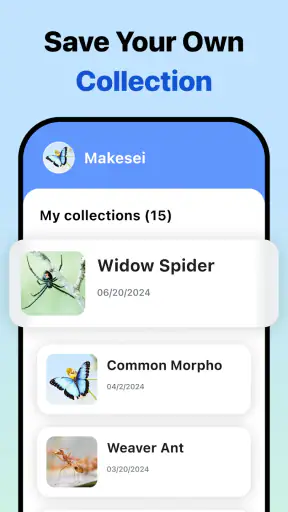
A useful, less obvious workflow is to keep the original photo alongside the identification result. If I later notice more insects in the same room or garden, I can compare their appearance rather than starting from zero. This turns a one-time curiosity into a basic observation record, even if I am not maintaining a formal collection. It is also safer than trying to remember a name from a quick glance.
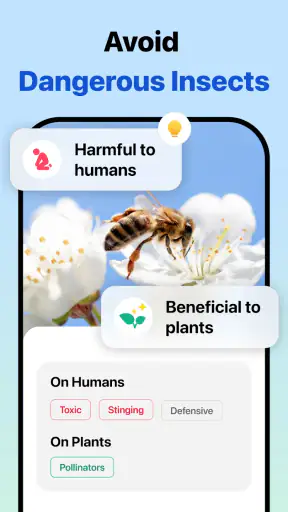
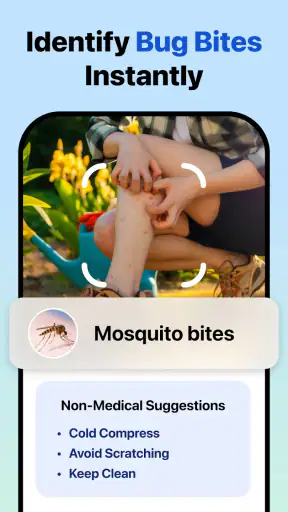
I would not use the app as the sole basis for pest treatment. If I am deciding whether a plant needs a particular chemical, whether food should be discarded, or whether a bite requires medical attention, I want a second source and, where appropriate, professional advice. A possible species name can guide the next question, but it should not replace judgment about health, safety, or property damage.
A realistic household test
Imagine finding a small insect near a pantry late in the evening. The immediate temptation is to squash it and search for “tiny bug in kitchen,” which usually produces an overwhelming mix of results. With this app, I can take a picture first, inspect the suggested identification, and then search specifically for that type of insect and the signs associated with it. I can check nearby shelves, look for more specimens, and decide whether ordinary cleaning is enough or whether the issue deserves more attention.
The important benefit in that scenario is not perfect certainty. It is the reduction of wasted effort. A broad search may make every household pest seem possible, while a visual result narrows the field. If the image is poor or the answer does not fit the insect I saw, I have still learned what kind of photo to take next. That is a much better starting point than guessing from memory.
The same process works outdoors. If I find a caterpillar on a vegetable plant, I can photograph it before removing it. The result may help me distinguish a visitor worth leaving alone from something I should investigate further. I would still check the plant damage and confirm the identification elsewhere, but the app gives me a focused direction instead of a blank search page.
Where it fits among the usual alternatives
The traditional alternatives are field guides, general image search, community forums, and asking a friend. Each has a place. A printed guide can be more trustworthy when it includes regional details and comparison images, but it takes longer and assumes I know where to look. General image search is broad and fast, yet it often mixes similar species and encourages me to choose the picture that looks closest without understanding why.
Community identification can bring human experience into the process, but it usually requires waiting, writing a description, and uploading an image to a public discussion. That is worthwhile for difficult cases, especially when local knowledge matters, but it is not the fastest option for a quick household question. Picture Insect sits between these choices: faster than a guide or forum, and more focused than a general search, while still needing human verification for important decisions.
That middle position is exactly why I find it appealing. It is not trying to replace a serious reference book in my routine. It is the tool I open before those deeper resources, when I need a likely category or name quickly. If I already know the species and need detailed regional behavior, a specialist guide is the better choice. If I need a legally or medically reliable determination, I would also move beyond an app-based suggestion.
The tradeoffs behind the convenience
The first tradeoff is confidence. A clean, close, well-lit photograph can produce a helpful result, but visual similarity remains a problem. Different insects may look alike to an automated system, and the result can appear more definite than the evidence deserves. I recommend reading the information connected to the identification and checking whether the habitat, size, and visible features make sense.
The second tradeoff is that a free download does not necessarily mean every part of the experience is free. The app is listed as free, with in-app purchases ranging from $2.99 to $39.99 per item. I would install it for occasional identification without assuming that every advanced or extended part of the experience is included at no cost. Before paying, I would decide whether I am a casual user or someone who expects repeated, deeper use.
That pricing range also affects who should try it first. For a person who encounters one unusual insect every few months, the basic experience may be enough to decide whether the app belongs in their toolkit. For a gardener, teacher, or frequent nature observer, the value depends on how often the identification feature is used and whether the extra options genuinely improve their workflow. I would not pay simply because a result looks interesting; I would pay only if the app is saving me repeated research time.
The current version is 2.9.1 and it requires at least iOS or Android 9, so compatibility is straightforward for many phones but still worth checking on an older device. On a small screen, tiny insects can be difficult to frame accurately, and a camera with weak close-up performance may limit the results more than the app itself. In practice, the phone is part of the identification system, so hardware and lighting matter.
Another limitation is emotional rather than technical. Some people want a definitive answer immediately because they are worried about a bite, infestation, or dangerous-looking spider. The app can reduce uncertainty, but it cannot guarantee reassurance. If the situation has health consequences or involves a potentially harmful species, I would use the result as background information and seek qualified help instead of treating the label as proof.
Small techniques that improve the results
My first tip is to take a wide image and a closer image when it is safe to do so. The wide view shows where the creature was found, while the closer view preserves body markings. Even when the app only needs one photograph, having both helps me judge whether the suggested result makes sense.
My second tip is to avoid photographing through glass, plastic, or a heavy screen unless there is no alternative. Reflections and repeating patterns can distract from the insect’s shape. I also try to keep the phone steady for a moment after tapping the shutter. A sharp ordinary picture is more useful than a dramatic close-up that has lost the edges of the body.
My third tip is to use the app before removing a suspected pest. Once the insect is gone, I may be left with a damaged leaf or a vague memory. A quick image creates evidence that I can revisit. This is particularly helpful when several people share responsibility for a garden or home, because I can show them what was actually observed rather than relying on a description.
My fourth tip is to compare repeated sightings. If the same-looking insect appears in different parts of a room or on several plants, the pattern may tell me more than one isolated identification. The app does not need to become a full scientific journal for this to help; simply keeping the images organized can reveal whether I am dealing with one recurring visitor or several unrelated bugs.
Who will get the most from it
This app is a strong fit for curious families, beginner gardeners, hikers, students, and anyone who regularly asks, “What is that?” It is especially useful for people who do not want to learn a large set of insect terms before they can begin. The camera-led approach lowers the entry barrier, and the Education category makes sense because each identification can become a prompt for further learning.
Gardeners may appreciate it as an early screening tool. When a plant looks chewed or a cluster appears under a leaf, a photo can help narrow the possibilities before the gardener researches treatment. I would still confirm the result against the plant, region, and damage pattern, because identifying the insect is only one part of diagnosing a garden problem.
Teachers and parents can also use it to make outdoor observation more active. Instead of asking children to memorize insect names, they can encourage them to photograph, compare, and ask follow-up questions. The best educational value comes from discussing why the result might be right or wrong, not from treating the app as an answer machine.
On the other hand, professional pest controllers, advanced entomology students, and serious collectors may find it too limited as their only reference. They usually need precise regional distinctions, life-stage information, and a level of certainty that a quick visual suggestion cannot provide. For those users, it can still be a convenient preliminary tool, but specialist references and expert confirmation should remain central.
I would also suggest skipping it if the goal is only to identify a famous insect once and never use the camera again. A general search may be enough for an obvious ladybird or common butterfly. The app earns its place when the subject is unfamiliar, the wording is difficult, or I want a repeatable way to investigate several sightings.
My final take after using the camera-first approach
Picture Insect: Bug Identifier succeeds because it focuses on a moment people recognize: an unfamiliar small creature appears, and we want a useful answer before it disappears. The photo-based approach is faster and more approachable than starting with a field guide or a vague web search. I especially value it as a first step for household discoveries, garden checks, and informal learning.
Its limits are just as important as its convenience. A photograph can be misleading, a suggested identification can be wrong, and the free app includes in-app purchases from $2.99 to $39.99 per item. I would not rely on it for medical, safety, or serious pest-control decisions without confirmation. Good lighting, multiple angles, and a little skepticism make the experience much more dependable.
Released on October 18, 2019, and maintained by Next Vision Limited, it has become a widely used option in its niche. My recommendation is straightforward: install it if you want quick visual guidance and enjoy learning what you find outdoors or around the home. Use it as a knowledgeable starting companion, not as a replacement for expert identification. With that expectation, it provides a genuinely handy way to turn a confusing bug sighting into a focused investigation.


